
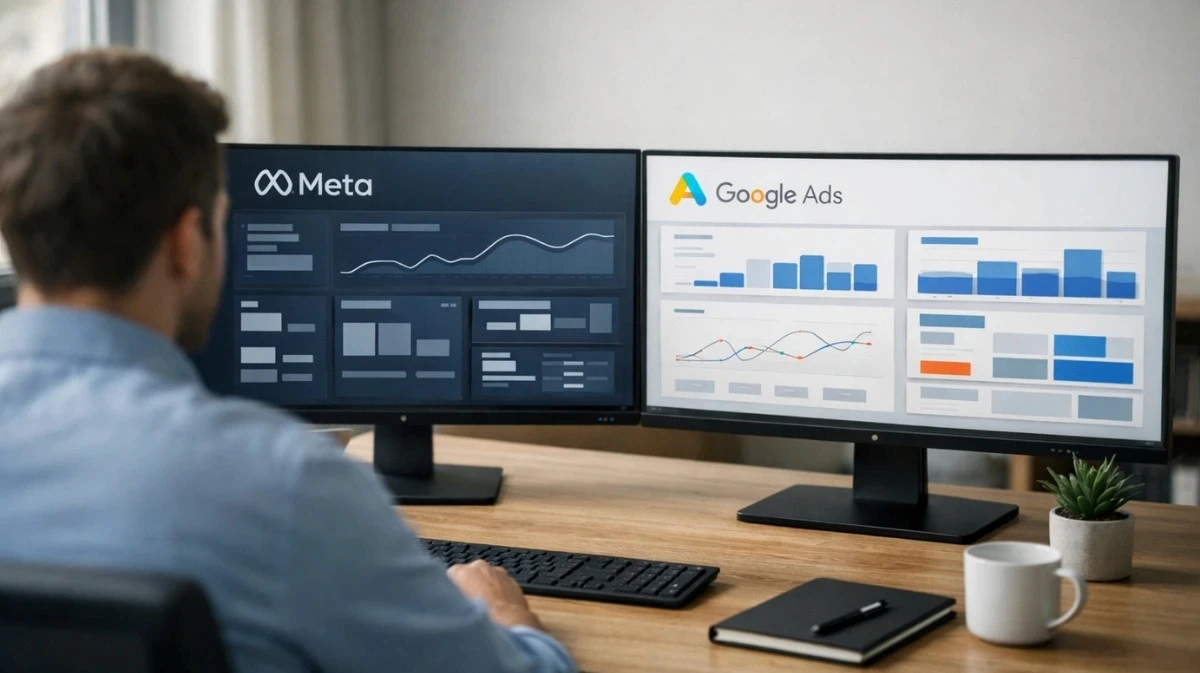
You checked Meta Ads Manager. It says your campaign drove $15,000 in revenue. You checked Google Ads. It claims $18,000 from the same time period. Your actual Shopify revenue? $22,000. The numbers diverge — and figuring out which platform deserves your next budget increase feels like solving a puzzle with missing pieces.
If you're running ads on both Meta and Google, you've experienced the frustration of mismatched numbers. Each platform reports different conversion totals for the same time period. Both claim credit for the same customers. And neither tells you the complete story.
This isn't a platform failure — it's a fundamental result of how ad platforms measure success using divergent methodologies. Each platform has different tracking mechanisms, different attribution windows, and different models for matching conversions to ad interactions. Understanding these differences is the first step toward building a measurement system you can actually trust.
This guide breaks down why Meta and Google Ads tracking diverge, what each platform's attribution nuances mean for your reporting, and how to build a unified view that reconciles cross-platform data.
The Core Problem: Two Platforms, Divergent Methodologies
Meta and Google don't just use different interfaces — they use fundamentally different approaches to tracking conversions. Understanding these differences explains why their numbers rarely align.
Quick Reference: Platform Comparison
Feature | Meta (Facebook/IG) | Google Ads |
|---|---|---|
Default Window | 7-Day Click / 1-Day View | 30-Day Click |
Main Attribution Nuance | iOS Users (SKAN Limitations) | Last-Click Bias |
Reporting Style | Probabilistic (Modeled) | Deterministic (Search-heavy) |
Tracking Solution | Conversions API (CAPI) | Enhanced Conversions |
How Meta Tracks Conversions
Meta's tracking relies on two primary mechanisms: the Meta Pixel and the Conversions API (CAPI).
The Meta Pixel is a snippet of JavaScript that fires when someone visits your website after clicking or viewing a Meta ad. It tracks events like page views, add to cart actions, and purchases. When a conversion happens, the pixel attempts to match that event back to a Meta ad interaction.
The Conversions API sends data directly from your server to Meta, bypassing the browser entirely. This catches conversions that the pixel misses due to ad blockers, privacy settings, or cross-device journeys.
Meta's default attribution window is 7 days post-click and 1 day post-view. (Note: As of January 2026, Meta removed the option for 7-day and 28-day view-through attribution — only 1-day view remains.) This means if someone clicks your ad on Monday but doesn't purchase until the following Tuesday (8 days later), Meta won't count that conversion — even though your ad clearly influenced it.
How Google Tracks Conversions
Google relies on the Google Ads tag (similar to Meta's pixel) and Enhanced Conversions for server-side tracking.
The Google Ads tag fires when someone converts after clicking a Google ad. Google's strength is its ability to track search intent — when someone searches for your product, clicks your ad, and buys, the attribution is relatively straightforward.
Google's default attribution window is 30 days post-click. This longer window captures more delayed conversions, but it also means Google claims credit for purchases that happened almost a month after the initial ad interaction.
Enhanced Conversions use hashed first-party data (like email addresses) to improve matching accuracy, especially for cross-device conversions where someone clicks on mobile but purchases on desktop.
Why Their Numbers Diverge
Here's the reality: when a customer sees your Meta ad on Instagram, then later searches your brand name on Google and clicks a search ad before purchasing, both platforms claim credit for that sale.
This isn't double-counting by design — it's how platform-native attribution works. Each platform sees its own touchpoint and reports it as a conversion. Without a unified view, you're essentially counting the same revenue twice while missing the full customer journey.
Add in different attribution windows, different tracking mechanisms, and different levels of data loss from privacy restrictions, and you have divergent reports that require reconciliation.
The Limitations of Platform-Native Tracking
Before you can reconcile cross-platform tracking, you need to understand where each platform's native reporting has inherent limitations.
Meta's Attribution Nuances
iOS restrictions reduced visibility. When Apple introduced App Tracking Transparency (ATT), a significant portion of iOS users opted out of tracking. While initial shock figures cited 95% opt-out rates, 2026 industry data shows global opt-in rates have stabilized around 25-35% as users experience "prompt fatigue." Still, roughly 65-75% of iOS users remain opted out, meaning Meta's pixel often can't see conversions from a substantial portion of mobile audiences.
View-through attribution captures influence, not always intent. Meta counts conversions from people who saw (but didn't click) your ad within 1 day. While view-through influence is real, this can sometimes overstate Meta's direct impact — particularly for brands with strong organic demand.
Modeled conversions fill data gaps. When Meta can't directly track a conversion, it estimates based on patterns from users it can track. These modeled conversions are directionally useful but not precise — and Meta doesn't clearly separate observed from estimated data in most reports. For the deeper breakdown of Meta's modeled vs tracked data — including the Reality Gap calculation — see a related guide on facebook ads attribution.
Google's Attribution Nuances
Last-click bias dominates. Google's default attribution model heavily favors the last touchpoint before conversion. If someone discovered your brand through Meta, researched competitors, then clicked your Google branded search ad to purchase, Google claims full credit while Meta gets nothing.
Display and YouTube face similar privacy challenges. Google's tracking works best for search campaigns where intent is clear. For upper-funnel campaigns like Display and YouTube, Google faces similar iOS and privacy challenges as Meta — but many advertisers assume Google's numbers are inherently more reliable.
Cross-device gaps persist. Even with Enhanced Conversions, Google struggles when users aren't logged into their Google account across devices. The customer who clicks your ad on their work computer but purchases on their personal laptop at home may not be matched correctly.
The Brand Search Trap: Discovery vs. Intent
One of the most common cross-platform attribution conflicts happens when Meta creates demand that Google captures.
Here's the scenario: A user scrolls Instagram and sees your Meta ad. They're interested but not ready to buy. Three days later, they search your brand name on Google, click a branded search ad, and purchase.
What happens in reporting:
Meta claims credit as a 7-day click or 1-day view conversion (if they interacted with the ad)
Google claims credit as a last-click search conversion
Both platforms are technically correct within their own attribution models. But if you're evaluating performance based on last-click data alone, you'll systematically underfund Meta (which created the demand) and overfund branded search (which captured existing intent).
The solution isn't to pick one platform's version — it's to understand that Meta often operates as a "discovery" channel while Google Search often operates as an "intent capture" channel. Both roles are valuable, but they require different attribution approaches to measure accurately.
Browser Privacy: A Nuanced Landscape
Browser-based tracking faces significant limitations, but the landscape is more nuanced than a blanket "pixels are dead" statement suggests.
Safari and Firefox block third-party cookies by default, making browser-based tracking unreliable for users on these browsers.
Chrome took a different path. In 2025, Google pivoted from fully deprecating third-party cookies to implementing a "Global User Choice" prompt. Users now choose whether to allow or block tracking via an in-browser prompt. This means Chrome tracking still functions for users who opt in — but you can't rely on it for complete data.
The practical reality: browser-based pixels alone miss a significant portion of conversions across all browsers. Server-side tracking remains essential for closing these gaps.
Building a Unified Tracking System
The solution isn't choosing which platform to trust — it's building a measurement layer that sits above both platforms and sees the complete customer journey.
Step 1: Implement Server-Side Tracking With High Event Match Quality
Browser-based tracking has significant limitations in 2026. Ad blockers, privacy browsers, iOS restrictions, and cookie opt-outs mean pixels alone miss a substantial portion of conversions.
Server-side tracking captures conversions directly from your e-commerce platform or CRM, bypassing the browser entirely. When an order happens, your server sends that data to Meta's Conversions API and Google's Enhanced Conversions simultaneously.
Critical: Event Match Quality (EMQ) Matters
Simply implementing server-side tracking isn't enough. The quality of the data you send determines how effectively platforms can match conversions to specific ad interactions.
For Meta's Conversions API, your Event Match Quality score reflects how well your data enables Meta to connect conversions to ad clicks. To achieve a high EMQ score (which directly improves campaign optimization and lowers CPA), you need to send high-quality identifiers:
Email address (hashed)
Phone number (hashed)
fbp cookie (Meta's first-party browser cookie)
fbc parameter (the click ID from the ad URL)
Client IP address
User agent
Sending more identifiers improves match rates, which helps Meta's AI "find" your customers more efficiently. A high EMQ score isn't vanity — it directly impacts campaign performance.
For Shopify stores, this means setting your Meta data sharing to "Maximum" (which activates CAPI) and enabling Google Enhanced Conversions. For the full walkthrough on setting up better Shopify Meta tracking — including theme integration, EMQ optimization, and deduplication keys — see that guide. For custom platforms, implement direct API integrations or use a third-party tracking tool that handles server-side connections and data enrichment automatically. See supported integrations for the platforms PantoSource connects with out of the box — covering Meta CAPI, Google Enhanced Conversions, and the Shopify/custom backend layer.
Step 2: Standardize Your Attribution Window
Meta's 7-day click window and Google's 30-day click window create artificial performance gaps. A conversion happening on day 10 shows up in Google's reports but not Meta's — making Google appear more effective even when both ads contributed equally.
The fix: align both platforms to the same attribution window. If your typical sales cycle is under a week, use 7 days for both. If customers typically take longer to decide, extend Meta's window to match Google's 30 days.
In Meta Ads Manager, you can adjust this in Attribution Settings. Note that as of January 2026, Meta removed 7-day and 28-day view-through options — only 1-day view remains, so your primary adjustment will be the click window. In Google Ads, navigate to Conversions and modify the conversion action's attribution window.
More importantly, use a third-party attribution tool that applies a consistent window to all data regardless of platform settings. This gives you an apples-to-apples comparison that platform-native reports can't provide.
Step 3: Use Consistent UTM Parameters (With Dynamic Variables)
UTM parameters are the metadata that allows analytics tools to properly categorize traffic and attribute conversions. When your Meta campaigns use different naming conventions than your Google campaigns, comparing performance becomes a manual spreadsheet exercise.
Create a standardized UTM structure that works across all platforms:
utm_source: Always the platform name (facebook, google, tiktok)
utm_medium: The campaign type (cpc, social, display)
utm_campaign: Your campaign name using a consistent format
utm_content: The specific ad or creative variation
utm_term: Keywords (primarily for search campaigns)
utm_id: The campaign ID for API reconciliation
Pro Tip: Use Dynamic UTM Parameters
Human error in manual UTM creation is one of the biggest sources of tracking inconsistencies. In 2026, best practice is using dynamic parameters that auto-populate from the ad platform.
For Meta, use dynamic variables in your URL:
For Google, use ValueTrack parameters:
This approach ensures that even if someone makes a naming error in the ad platform, your tracking software can pull the exact campaign and ad IDs from the API to reconcile the data accurately.
Step 4: Connect Revenue Data Back to Ad Platforms
Ad platforms optimize based on the conversion data they receive. When tracking is incomplete, their algorithms learn from flawed data — targeting the wrong audiences and bidding incorrectly.
Send enriched conversion data back to both platforms, including purchase value, product category, and customer type. This helps algorithms understand which conversions are valuable, not just which ones happened.
For businesses with offline conversions (phone orders, sales rep closed deals, in-store purchases), upload this data to both platforms so they can learn from your full revenue picture. Facebook's Offline Conversions and Google's Enhanced Conversions for Leads support this data flow.
Step 5: Build a Cross-Platform Dashboard
The ultimate goal is a single view where you can compare Facebook and Google performance using consistent metrics, time periods, and attribution logic.
Your dashboard should answer questions like:
Which platform has better ROAS this week using unified attribution?
How does cost per acquisition compare when measured the same way?
Which platform drives first-touch discovery vs. last-touch conversion?
Where should next week's incremental budget go?
Tools like Google Looker Studio (Data Studio), Tableau, or dedicated attribution platforms can pull data from both platforms and display it side by side. The key is ensuring both data sources flow through your unified attribution logic before reaching the dashboard.
The Metrics That Actually Matter
Once you have unified tracking, focus on these cross-platform metrics:
MER (Marketing Efficiency Ratio)
In a world of modeled conversions and platform discrepancies, MER is the only "source of truth" metric: total revenue divided by total ad spend across all platforms.
MER = Total Revenue ÷ Total Ad Spend
This metric doesn't rely on any platform's attribution model. If you spent $50,000 across Meta and Google and your business generated $200,000 in revenue, your MER is 4.0. Period.
MER won't tell you which platform drove the revenue — but it tells you whether your overall marketing investment is profitable. When platform-reported ROAS diverges wildly from your MER, you know the attribution data needs investigation.
Blended ROAS
Calculate total ad spend across both platforms divided by total attributed revenue (using your unified attribution model). This tells you whether your combined advertising efforts are profitable according to your measurement system, regardless of which platform claims credit.
The difference between MER and Blended ROAS reveals your "attribution gap" — the revenue that's happening but not being credited to any specific ad interaction.
Contribution by Funnel Stage
Analyze which platform appears more often as the first touchpoint (awareness) vs. the last touchpoint (conversion). Many advertisers find Meta drives discovery while Google captures intent — meaning both are essential parts of the same customer journey.
Understanding funnel contribution helps you avoid the "brand search trap" where you underfund discovery channels because last-click attribution credits intent capture.
Incremental Revenue
Beyond attribution, consider incrementality: would this revenue have happened without the ad? Geo-lift tests and holdout experiments reveal which platforms drive truly incremental sales vs. cannibalize organic demand.
Cost Per Acquired Customer
Lead generation businesses should track cost per customer, not cost per lead. A platform that generates expensive leads that convert well may outperform a platform with cheap leads that never close.
Common Cross-Platform Tracking Mistakes
Mistake 1: Trusting platform reports without verification
Both Meta and Google optimize their reporting interfaces for their own platforms. Always verify reported conversions against your source of truth — typically your e-commerce platform or CRM.
Mistake 2: Comparing different attribution windows
If you're looking at Meta's 7-day click data and Google's 30-day click data, you're not comparing performance — you're comparing measurement methodologies.
Mistake 3: Over-crediting last-touch channels
Google Search often captures intent that Meta or other channels created. If you only look at last-click attribution, you'll systematically underfund awareness campaigns and overfund branded search — falling into the "brand search trap."
Mistake 4: Ignoring cross-device journeys
Today's customers research on mobile, compare on tablet, and purchase on desktop. Platforms with better cross-device matching will appear more effective even when all channels contributed.
Mistake 5: Making decisions during data volatility periods
After major privacy changes (like iOS updates or browser policy shifts), platform data becomes unreliable for weeks as models recalibrate. Use your server-side data and MER as the source of truth during these periods.
Mistake 6: Neglecting Event Match Quality
Implementing server-side tracking without sending high-quality identifiers is a missed opportunity. Low EMQ scores mean Meta's algorithm can't effectively match conversions to ad interactions, limiting optimization performance. For the full Meta optimization framework — including campaign architecture, audience strategy, and creative diversity — see a related guide on facebook ads optimization.
Which Platform Should You Rely On?
Neither — and both.
Meta and Google are both reporting valid data within their own measurement frameworks. The discrepancies aren't deception — they're the result of divergent methodologies, different attribution windows, and different tracking capabilities.
The solution is building your own measurement infrastructure that:
Captures conversion data directly from your backend (server-side tracking with high EMQ)
Applies consistent attribution rules to all touchpoints (unified attribution)
Connects ad clicks to actual revenue outcomes (CRM integration)
Presents cross-platform data in a single view (unified dashboards)
Provides a source-of-truth metric that doesn't rely on platform models (MER)
When you control the measurement layer, you stop debating which platform's numbers to trust and start understanding how your advertising actually drives revenue across the full customer journey.
Stop Guessing, Start Measuring
The gap between what Meta reports, what Google reports, and what actually happened in your business represents real money — either wasted on underperforming campaigns or missed by underfunding winners.
Building accurate cross-platform tracking isn't optional anymore. Privacy changes have made platform data less reliable just as ad costs have made optimization more critical.
The brands winning in 2026 aren't the ones with the biggest budgets. They're the ones with the most accurate data — because when you can see the truth about cross-platform performance, you can make decisions that actually grow revenue.
Ready to Reconcile Your Data?
Most e-commerce brands see significant discrepancies between platform-reported conversions and actual revenue. That data gap makes cross-platform comparison unreliable and optimization ineffective.
Server-side tracking with high Event Match Quality captures what pixels miss and delivers enriched data to every ad platform — giving you a single source of truth for cross-platform decisions.
Get Started
Start Tracking Every Sale Today
Join 10+ e-commerce stores. Set up in 5 minutes, see results in days.