Tracking

AI Browser Tracking 2026: The Invisible Traffic Problem

Panto Source

Panto Source

AI Browser Tracking The Invisible Traffic Problem

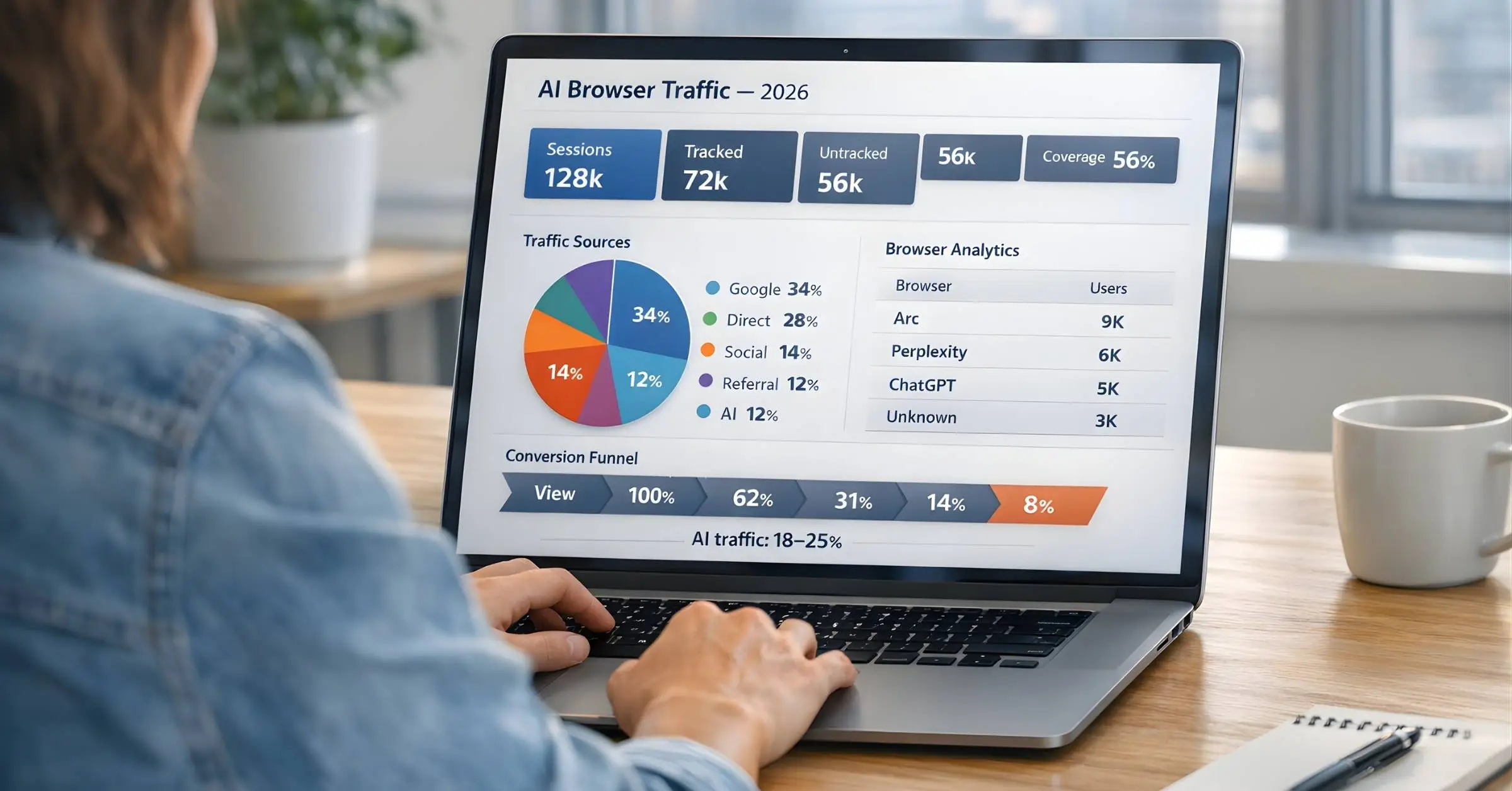
Your GA4 shows 10,000 sessions last week. Your server logs show 14,000 requests. That's 4,000 visits your analytics never saw.

Welcome to the AI browser era.

ChatGPT Atlas, Perplexity Comet, Dia, and a growing list of AI-powered browsers are changing how people interact with the web. They summarize pages, complete tasks, and make purchases — often without triggering a single tracking pixel.

For marketers and analysts, this creates a new category of problem: invisible traffic.

This guide explains what AI browsers actually do to your tracking, how to detect them, and what to do about it before your data becomes meaningless.

What AI Browsers Actually Do

AI browsers aren't just browsers with chatbots attached. They fundamentally change how users interact with your site — and how (or whether) that interaction gets tracked.

The Key Behaviors

Behavior

Impact on Tracking

Script blocking by default

GTM, GA4, pixels never load

Auto-reject cookie consent

No behavioral data collected

Chrome user-agent masking

AI traffic looks like Chrome

Sandboxed sessions

Every visit appears as "new user"

No referrer headers

Traffic shows as Direct/(not set)

Agent mode actions

Non-human events trigger conversions

The Invisible Traffic Flow

TRADITIONAL BROWSER:
┌────────────┐    ┌────────────┐    ┌────────────┐    ┌────────────┐
User     │───►│  Website   │───►│  Tracking  │───►│  GA4/Meta  
Visit    Loads    Scripts   Reports   
└────────────┘    └────────────┘    └────────────┘    └────────────┘
                                           
                                    Data captured

AI BROWSER (Comet/Atlas):
┌────────────┐    ┌────────────┐    ┌────────────┐    ┌────────────┐
User     │───►│  Website   │───►│  Tracking  GA4/Meta  
Visit    Loads    BLOCKED   Reports   
└────────────┘    └────────────┘    └────────────┘    └────────────┘
                                           
                                    Data invisible
TRADITIONAL BROWSER:
┌────────────┐    ┌────────────┐    ┌────────────┐    ┌────────────┐
User     │───►│  Website   │───►│  Tracking  │───►│  GA4/Meta  
Visit    Loads    Scripts   Reports   
└────────────┘    └────────────┘    └────────────┘    └────────────┘
                                           
                                    Data captured

AI BROWSER (Comet/Atlas):
┌────────────┐    ┌────────────┐    ┌────────────┐    ┌────────────┐
User     │───►│  Website   │───►│  Tracking  GA4/Meta  
Visit    Loads    BLOCKED   Reports   
└────────────┘    └────────────┘    └────────────┘    └────────────┘
                                           
                                    Data invisible
TRADITIONAL BROWSER:
┌────────────┐    ┌────────────┐    ┌────────────┐    ┌────────────┐
User     │───►│  Website   │───►│  Tracking  │───►│  GA4/Meta  
Visit    Loads    Scripts   Reports   
└────────────┘    └────────────┘    └────────────┘    └────────────┘
                                           
                                    Data captured

AI BROWSER (Comet/Atlas):
┌────────────┐    ┌────────────┐    ┌────────────┐    ┌────────────┐
User     │───►│  Website   │───►│  Tracking  GA4/Meta  
Visit    Loads    BLOCKED   Reports   
└────────────┘    └────────────┘    └────────────┘    └────────────┘
                                           
                                    Data invisible

The result: Real users visit your site, view products, even convert — but your analytics sees nothing.

The 2026 AI Browser Landscape

AI browsers are still a small percentage of total traffic, but they're growing fast — and they're concentrated among high-value users.

Current Market Reality

Browser

User-Agent

Tracking Behavior

How to Identify

ChatGPT Atlas

Chrome (identical)

Auto-rejects cookies, blocks consent

utm_source=chatgpt.com or referrer=chatgpt.com

Perplexity Comet

Chrome (identical)

Built-in ad blocker, blocks GTM/GA4

referrer=perplexity.ai

Dia

Chrome (identical)

Blocks third-party trackers by default

Limited identification

Opera Neon

Opera-based

AI sidebar, partial tracking

Standard Opera identification

📊 2026 Adoption Stats

According to Cyberhaven research (late 2025):

  • 27.7% of enterprises saw employees install Atlas within weeks of launch

  • Atlas reached 60x more downloads than Comet

  • Atlas's launch caused a 6x spike in Comet downloads

The agentic browser market is projected to grow from $4.5B (2024) to $76.8B (2034) — a 32.8% annual growth rate.

Why Market Share Understates the Problem

Official browser market share reports show AI browsers under 3% globally. But here's the catch:

AI browsers use Chrome's user-agent string.

When Atlas or Comet visits your site, analytics tools see "Chrome." The traffic gets attributed to Chrome, not to AI browsers. Actual AI browser usage is likely higher than reported.

Three Problems AI Browsers Create

Before diving into specific issues, visualize how AI browsers "peel away" traffic at each layer:

THE INVISIBLE TRAFFIC FUNNEL
════════════════════════════════════════════════════════════════════════

                        100 ACTUAL VISITORS
                    ┌───────────────────────────┐
                    
                    Your server sees all    
                    100 requests            
                    
                    └─────────────┬─────────────┘
                                  
          ┌───────────────────────┴───────────────────────┐
          LAYER 1: SCRIPT BLOCKING            
          
          AI browsers with ad blockers (Comet, etc.)  
          prevent gtm.js / analytics.js from loading  
          
          ─15 visitors lost─               
          └───────────────────────┬───────────────────────┘
                                  
                          85 VISITORS REMAIN
                                  
          ┌───────────────────────┴───────────────────────┐
          LAYER 2: CONSENT AUTO-REJECTION       
          
          AI browsers auto-click "Reject All" on      
          cookie banners (Atlas default behavior)     
          
          ─12 visitors lost─               
          └───────────────────────┬───────────────────────┘
                                  
                          73 VISITORS REMAIN
                                  
          ┌───────────────────────┴───────────────────────┐
          LAYER 3: SANDBOXED SESSIONS          
          
          No persistent cookies = every visit is      
          "new user" (inflates metrics, breaks        
          returning user identification)              
          
          ─Attribution broken─                
          └───────────────────────┬───────────────────────┘
                                  
                          73 VISITORS TRACKED
                       (but 27% misattributed)
                                  
          ┌───────────────────────┴───────────────────────┐
          LAYER 4: CHROME UA MASKING           
          
          All AI browser traffic reports as "Chrome"  
          Can't segment or identify AI visitors       │
          
          ─Visibility lost─                   
          └───────────────────────┬───────────────────────┘
                                  
                                  
                    ┌───────────────────────────┐
                    
                    GA4 REPORTS: 73 users   
                       (all appear as Chrome)  
                    
                    REALITY: 100 visitors   
                    27% invisible or        
                    misattributed           
                    
                    └───────────────────────────┘
THE INVISIBLE TRAFFIC FUNNEL
════════════════════════════════════════════════════════════════════════

                        100 ACTUAL VISITORS
                    ┌───────────────────────────┐
                    
                    Your server sees all    
                    100 requests            
                    
                    └─────────────┬─────────────┘
                                  
          ┌───────────────────────┴───────────────────────┐
          LAYER 1: SCRIPT BLOCKING            
          
          AI browsers with ad blockers (Comet, etc.)  
          prevent gtm.js / analytics.js from loading  
          
          ─15 visitors lost─               
          └───────────────────────┬───────────────────────┘
                                  
                          85 VISITORS REMAIN
                                  
          ┌───────────────────────┴───────────────────────┐
          LAYER 2: CONSENT AUTO-REJECTION       
          
          AI browsers auto-click "Reject All" on      
          cookie banners (Atlas default behavior)     
          
          ─12 visitors lost─               
          └───────────────────────┬───────────────────────┘
                                  
                          73 VISITORS REMAIN
                                  
          ┌───────────────────────┴───────────────────────┐
          LAYER 3: SANDBOXED SESSIONS          
          
          No persistent cookies = every visit is      
          "new user" (inflates metrics, breaks        
          returning user identification)              
          
          ─Attribution broken─                
          └───────────────────────┬───────────────────────┘
                                  
                          73 VISITORS TRACKED
                       (but 27% misattributed)
                                  
          ┌───────────────────────┴───────────────────────┐
          LAYER 4: CHROME UA MASKING           
          
          All AI browser traffic reports as "Chrome"  
          Can't segment or identify AI visitors       │
          
          ─Visibility lost─                   
          └───────────────────────┬───────────────────────┘
                                  
                                  
                    ┌───────────────────────────┐
                    
                    GA4 REPORTS: 73 users   
                       (all appear as Chrome)  
                    
                    REALITY: 100 visitors   
                    27% invisible or        
                    misattributed           
                    
                    └───────────────────────────┘
THE INVISIBLE TRAFFIC FUNNEL
════════════════════════════════════════════════════════════════════════

                        100 ACTUAL VISITORS
                    ┌───────────────────────────┐
                    
                    Your server sees all    
                    100 requests            
                    
                    └─────────────┬─────────────┘
                                  
          ┌───────────────────────┴───────────────────────┐
          LAYER 1: SCRIPT BLOCKING            
          
          AI browsers with ad blockers (Comet, etc.)  
          prevent gtm.js / analytics.js from loading  
          
          ─15 visitors lost─               
          └───────────────────────┬───────────────────────┘
                                  
                          85 VISITORS REMAIN
                                  
          ┌───────────────────────┴───────────────────────┐
          LAYER 2: CONSENT AUTO-REJECTION       
          
          AI browsers auto-click "Reject All" on      
          cookie banners (Atlas default behavior)     
          
          ─12 visitors lost─               
          └───────────────────────┬───────────────────────┘
                                  
                          73 VISITORS REMAIN
                                  
          ┌───────────────────────┴───────────────────────┐
          LAYER 3: SANDBOXED SESSIONS          
          
          No persistent cookies = every visit is      
          "new user" (inflates metrics, breaks        
          returning user identification)              
          
          ─Attribution broken─                
          └───────────────────────┬───────────────────────┘
                                  
                          73 VISITORS TRACKED
                       (but 27% misattributed)
                                  
          ┌───────────────────────┴───────────────────────┐
          LAYER 4: CHROME UA MASKING           
          
          All AI browser traffic reports as "Chrome"  
          Can't segment or identify AI visitors       │
          
          ─Visibility lost─                   
          └───────────────────────┬───────────────────────┘
                                  
                                  
                    ┌───────────────────────────┐
                    
                    GA4 REPORTS: 73 users   
                       (all appear as Chrome)  
                    
                    REALITY: 100 visitors   
                    27% invisible or        
                    misattributed           
                    
                    └───────────────────────────┘

Problem 1: Invisible Sessions

AI browsers with built-in ad blockers (like Comet) prevent tracking scripts from loading entirely. Your analytics shows zero — not even a bounce.

Detection clue: Compare server logs to GA4 sessions. A growing gap indicates invisible traffic.

Problem 2: Inflated "New Users"

AI browsers operate in isolated sandboxes. They don't maintain cookies or session history. Every visit looks like a first-time user.

Detection clue: Spike in new users without corresponding increase in actual customers.

Problem 3: Ghost Conversions

AI agents can complete purchases on behalf of users. The agent browses, adds to cart, and generates a checkout link — all without triggering your pixel.

THE GHOST CONVERSION: HOW AI AGENTS BYPASS TRACKING
════════════════════════════════════════════════════════════════════════

TRADITIONAL CHECKOUT (Tracked):
┌────────┐    ┌────────┐    ┌────────┐    ┌────────┐    ┌────────┐
User  │───►│ Browse │───►│  Cart  │───►│Checkout│───►│Purchase│
Page  Page  Page  
└────────┘    └────────┘    └────────┘    └────────┘    └────────┘
                  
                  
              [Pixel]       [Pixel]       [Pixel]       [Pixel]
                  
                  └─────────────┴─────────────┴─────────────┘
                                      
                                      
                              GA4/Meta Reports 


AI AGENT CHECKOUT (Invisible):
┌────────┐    ┌─────────────────────────────────────┐    ┌────────┐
User  │───►│           AI AGENT                  │───►│  User  
Request│    Reviews│
"Find me│    │  ┌────────┐ ┌────────┐ ┌────────┐  │    │  Link  │
a gift Browse │►│  Cart  │►│Checkout│  
under  (no JS) (no JS) (no JS) 
$50"   │    │  └────────┘ └────────┘ └────────┘  │    │        │
└────────┘             [All pixels blocked]        └───┬────┘
              └─────────────────────────────────────┘        
                                                             
                                                      ┌────────────┐
                                                      Purchase  
                                                       (Direct)   
                                                      └────────────┘
                                                             
                                                             
                                                    GA4/Meta: "Direct"
                                                    or no conversion 
THE GHOST CONVERSION: HOW AI AGENTS BYPASS TRACKING
════════════════════════════════════════════════════════════════════════

TRADITIONAL CHECKOUT (Tracked):
┌────────┐    ┌────────┐    ┌────────┐    ┌────────┐    ┌────────┐
User  │───►│ Browse │───►│  Cart  │───►│Checkout│───►│Purchase│
Page  Page  Page  
└────────┘    └────────┘    └────────┘    └────────┘    └────────┘
                  
                  
              [Pixel]       [Pixel]       [Pixel]       [Pixel]
                  
                  └─────────────┴─────────────┴─────────────┘
                                      
                                      
                              GA4/Meta Reports 


AI AGENT CHECKOUT (Invisible):
┌────────┐    ┌─────────────────────────────────────┐    ┌────────┐
User  │───►│           AI AGENT                  │───►│  User  
Request│    Reviews│
"Find me│    │  ┌────────┐ ┌────────┐ ┌────────┐  │    │  Link  │
a gift Browse │►│  Cart  │►│Checkout│  
under  (no JS) (no JS) (no JS) 
$50"   │    │  └────────┘ └────────┘ └────────┘  │    │        │
└────────┘             [All pixels blocked]        └───┬────┘
              └─────────────────────────────────────┘        
                                                             
                                                      ┌────────────┐
                                                      Purchase  
                                                       (Direct)   
                                                      └────────────┘
                                                             
                                                             
                                                    GA4/Meta: "Direct"
                                                    or no conversion 
THE GHOST CONVERSION: HOW AI AGENTS BYPASS TRACKING
════════════════════════════════════════════════════════════════════════

TRADITIONAL CHECKOUT (Tracked):
┌────────┐    ┌────────┐    ┌────────┐    ┌────────┐    ┌────────┐
User  │───►│ Browse │───►│  Cart  │───►│Checkout│───►│Purchase│
Page  Page  Page  
└────────┘    └────────┘    └────────┘    └────────┘    └────────┘
                  
                  
              [Pixel]       [Pixel]       [Pixel]       [Pixel]
                  
                  └─────────────┴─────────────┴─────────────┘
                                      
                                      
                              GA4/Meta Reports 


AI AGENT CHECKOUT (Invisible):
┌────────┐    ┌─────────────────────────────────────┐    ┌────────┐
User  │───►│           AI AGENT                  │───►│  User  
Request│    Reviews│
"Find me│    │  ┌────────┐ ┌────────┐ ┌────────┐  │    │  Link  │
a gift Browse │►│  Cart  │►│Checkout│  
under  (no JS) (no JS) (no JS) 
$50"   │    │  └────────┘ └────────┘ └────────┘  │    │        │
└────────┘             [All pixels blocked]        └───┬────┘
              └─────────────────────────────────────┘        
                                                             
                                                      ┌────────────┐
                                                      Purchase  
                                                       (Direct)   
                                                      └────────────┘
                                                             
                                                             
                                                    GA4/Meta: "Direct"
                                                    or no conversion 

Detection clue: Orders in your store that have no matching GA4 conversion event.

⚠️ The "Death by Popularity" Warning

In January 2026, Tailwind CSS laid off 75% of its engineering team despite 30M+ weekly downloads. Why? AI agents were trained on Tailwind's documentation and could write the code directly — developers stopped visiting the site. Revenue collapsed because the "sales funnel" (documentation visits) disappeared.

If your business depends on website visits for conversions, AI browsers are a direct threat to your attribution model.

How to Detect AI Browser Traffic

Method 1: Server Log Comparison

Compare your server access logs to GA4 reported sessions.

Gap Percentage=(Server Requests−GA4 SessionsServer Requests)×100Gap\ Percentage = \left( \frac{\text{Server Requests} - \text{GA4 Sessions}}{\text{Server Requests}} \right) \times 100Gap Percentage=(Server RequestsServer Requests−GA4 Sessions​)×100

A gap above 15-20% warrants investigation. If it's growing month-over-month, AI browsers are likely the cause.

Method 2: Referrer Analysis

The few AI browsers that can be identified leave referrer traces:

Source

Referrer Value

ChatGPT Atlas

chatgpt.com

Perplexity Comet

perplexity.ai

Claude

claude.ai

OpenAI

openai.com

In GA4, create a custom report filtering by these source values.

Method 3: Behavioral Pattern Detection

AI agent traffic has distinct patterns that reveal non-human interaction:

EVENT STREAM COMPARISON: HUMAN vs AI AGENT
════════════════════════════════════════════════════════════════════════

HUMAN USER (Natural rhythm, variable gaps):
Timeline: 0s ─────────────────────────────────────────────────────► 45s

Event:     PageLoad    Scroll     Scroll     Click      PageLoad   AddCart
Time:      0.00s       2.34s      5.12s      8.91s      12.45s     41.23s
           
           
Gap:       ├───2.34s───┼──2.78s───┼──3.79s───┼──3.54s───┼──28.78s──┤
           
Pattern:   ████░░████░░░████░░░░████░░░░████░░░░░░░░░░░░░░░░░░████
           [Bursts of activity with natural pauses for reading/deciding]


AI AGENT (Machine rhythm, near-zero gaps):
Timeline: 0s ───────────────────────────────────────────────────► 0.12s

Event:     PageLoad    Scroll     Scroll     Click      PageLoad   AddCart
Time:      0.000s      0.018s     0.024s     0.031s     0.089s     0.112s
           
           
Gap:       ├──18ms──┼──6ms──┼──7ms──┼───58ms───┼──23ms──┤
           
Pattern:   ██████████████████████████████████████████████████████
           [Continuous execution, no reading time, millisecond precision]

────────────────────────────────────────────────────────────────────────
KEY DETECTION SIGNALS:
┌─────────────────────────┬────────────────────┬────────────────────────┐
Signal                  Human              AI Agent               
├─────────────────────────┼────────────────────┼────────────────────────┤
Avg gap between events  2-30 seconds       10-100 milliseconds    
Session duration        2-10 minutes        < 5 seconds            
Scroll pattern          Variable, pauses   Smooth, continuous     
Click precision         Slightly off-center│ Pixel-perfect          
Event sequence          Non-linear, backtrack│ Linear, no backtrack 
└─────────────────────────┴────────────────────┴────────────────────────┘
EVENT STREAM COMPARISON: HUMAN vs AI AGENT
════════════════════════════════════════════════════════════════════════

HUMAN USER (Natural rhythm, variable gaps):
Timeline: 0s ─────────────────────────────────────────────────────► 45s

Event:     PageLoad    Scroll     Scroll     Click      PageLoad   AddCart
Time:      0.00s       2.34s      5.12s      8.91s      12.45s     41.23s
           
           
Gap:       ├───2.34s───┼──2.78s───┼──3.79s───┼──3.54s───┼──28.78s──┤
           
Pattern:   ████░░████░░░████░░░░████░░░░████░░░░░░░░░░░░░░░░░░████
           [Bursts of activity with natural pauses for reading/deciding]


AI AGENT (Machine rhythm, near-zero gaps):
Timeline: 0s ───────────────────────────────────────────────────► 0.12s

Event:     PageLoad    Scroll     Scroll     Click      PageLoad   AddCart
Time:      0.000s      0.018s     0.024s     0.031s     0.089s     0.112s
           
           
Gap:       ├──18ms──┼──6ms──┼──7ms──┼───58ms───┼──23ms──┤
           
Pattern:   ██████████████████████████████████████████████████████
           [Continuous execution, no reading time, millisecond precision]

────────────────────────────────────────────────────────────────────────
KEY DETECTION SIGNALS:
┌─────────────────────────┬────────────────────┬────────────────────────┐
Signal                  Human              AI Agent               
├─────────────────────────┼────────────────────┼────────────────────────┤
Avg gap between events  2-30 seconds       10-100 milliseconds    
Session duration        2-10 minutes        < 5 seconds            
Scroll pattern          Variable, pauses   Smooth, continuous     
Click precision         Slightly off-center│ Pixel-perfect          
Event sequence          Non-linear, backtrack│ Linear, no backtrack 
└─────────────────────────┴────────────────────┴────────────────────────┘
EVENT STREAM COMPARISON: HUMAN vs AI AGENT
════════════════════════════════════════════════════════════════════════

HUMAN USER (Natural rhythm, variable gaps):
Timeline: 0s ─────────────────────────────────────────────────────► 45s

Event:     PageLoad    Scroll     Scroll     Click      PageLoad   AddCart
Time:      0.00s       2.34s      5.12s      8.91s      12.45s     41.23s
           
           
Gap:       ├───2.34s───┼──2.78s───┼──3.79s───┼──3.54s───┼──28.78s──┤
           
Pattern:   ████░░████░░░████░░░░████░░░░████░░░░░░░░░░░░░░░░░░████
           [Bursts of activity with natural pauses for reading/deciding]


AI AGENT (Machine rhythm, near-zero gaps):
Timeline: 0s ───────────────────────────────────────────────────► 0.12s

Event:     PageLoad    Scroll     Scroll     Click      PageLoad   AddCart
Time:      0.000s      0.018s     0.024s     0.031s     0.089s     0.112s
           
           
Gap:       ├──18ms──┼──6ms──┼──7ms──┼───58ms───┼──23ms──┤
           
Pattern:   ██████████████████████████████████████████████████████
           [Continuous execution, no reading time, millisecond precision]

────────────────────────────────────────────────────────────────────────
KEY DETECTION SIGNALS:
┌─────────────────────────┬────────────────────┬────────────────────────┐
Signal                  Human              AI Agent               
├─────────────────────────┼────────────────────┼────────────────────────┤
Avg gap between events  2-30 seconds       10-100 milliseconds    
Session duration        2-10 minutes        < 5 seconds            
Scroll pattern          Variable, pauses   Smooth, continuous     
Click precision         Slightly off-center│ Pixel-perfect          
Event sequence          Non-linear, backtrack│ Linear, no backtrack 
└─────────────────────────┴────────────────────┴────────────────────────┘

Additional detection signals:

  • Event timestamps within milliseconds of each other

  • High event volume from single IP in short timeframes

  • Sequential page visits without natural dwell time

  • navigator.userActivation.isActive = false (indicates non-human input)

Creating an AI Traffic Channel Group in GA4

To segment and monitor AI referral traffic, create a custom channel group.

Step-by-Step Setup

  1. Go to AdminChannel groupsCreate New Channel Group

  2. Click Create new channel

  3. Name it: AI Traffic

  4. Click + Add Condition Group

  5. Select Sourcematches regex

  6. Add this pattern:


regex

^(?:chatgpt\.com|chat-gpt\.org|claude\.ai|quillbot\.com|openai\.com|blackbox\.ai|perplexity(?:\.ai)?|copy\.ai|jasper\.ai|copilot\.microsoft\.com|gemini\.google\.com|(?:\w+\.)?mistral\.ai|deepseek\.com|edgepilot
  1. Save channel

Note: This only captures AI traffic with identifiable referrers. Invisible traffic (blocked scripts) won't appear in any channel — that's the whole problem.

Why Traditional Bot Detection Doesn't Work

You might think: "I'll just use bot filtering."

Here's why that fails:

Detection Method

Why It Misses AI Browsers

User-agent filtering

AI browsers use Chrome's exact UA string

IP blocklists

Users access via residential IPs

CAPTCHA

AI browsers are controlled by real users

Behavioral scripts

Scripts are blocked before they load

GA4 bot filtering

Only catches known bots, not AI browsers

AI browsers look like Chrome sessions from real users because they are Chrome sessions from real users — just with AI assistance that bypasses tracking.

The Server-Side Solution

Client-side tracking depends on scripts loading in the browser. If the browser blocks scripts, you get nothing.

Server-side tracking captures data at the server level — before the browser can interfere.

How Server-Side Helps

CLIENT-SIDE (Vulnerable):
┌────────┐    ┌─────────┐    ┌──────────┐    ┌─────────┐
Browser│───►│ Website │───►│ Pixel.js │───►│ GA4/Meta│
└────────┘    └─────────┘    BLOCKED  └─────────┘
                             └──────────┘
                                  

SERVER-SIDE (Resilient):
┌────────┐    ┌─────────┐    ┌──────────┐    ┌─────────┐
Browser│───►│ Website │───►│  Server  │───►│ GA4/Meta│
└────────┘    └─────────┘     (sGTM)   └─────────┘
                             └──────────┘
                                  
                         Captures request data
                         regardless of browser
CLIENT-SIDE (Vulnerable):
┌────────┐    ┌─────────┐    ┌──────────┐    ┌─────────┐
Browser│───►│ Website │───►│ Pixel.js │───►│ GA4/Meta│
└────────┘    └─────────┘    BLOCKED  └─────────┘
                             └──────────┘
                                  

SERVER-SIDE (Resilient):
┌────────┐    ┌─────────┐    ┌──────────┐    ┌─────────┐
Browser│───►│ Website │───►│  Server  │───►│ GA4/Meta│
└────────┘    └─────────┘     (sGTM)   └─────────┘
                             └──────────┘
                                  
                         Captures request data
                         regardless of browser
CLIENT-SIDE (Vulnerable):
┌────────┐    ┌─────────┐    ┌──────────┐    ┌─────────┐
Browser│───►│ Website │───►│ Pixel.js │───►│ GA4/Meta│
└────────┘    └─────────┘    BLOCKED  └─────────┘
                             └──────────┘
                                  

SERVER-SIDE (Resilient):
┌────────┐    ┌─────────┐    ┌──────────┐    ┌─────────┐
Browser│───►│ Website │───►│  Server  │───►│ GA4/Meta│
└────────┘    └─────────┘     (sGTM)   └─────────┘
                             └──────────┘
                                  
                         Captures request data
                         regardless of browser

What server-side captures:

  • Page requests (even without JS)

  • Form submissions

  • Checkout completions

  • Server-level identifiers (IP, headers)

What it can't fully solve:

  • Mid-funnel behavioral events (scroll depth, video plays)

  • Events that require client-side interaction detection

Server-side tracking won't capture everything — but it captures far more than client-side alone when browsers block scripts.

Practical Recommendations

For Analytics Teams

  1. Establish baselines now — Document your current server-to-GA4 session gap before it grows

  2. Create the AI channel group — Even partial visibility is better than none

  3. Monitor new user spikes — Unexplained increases often indicate AI browser sandboxing

  4. Compare orders to conversions — Store orders without GA4 matches = invisible traffic

For Marketing Teams

  1. Don't trust platform attribution blindly — AI browsers break referrer chains

  2. Use MER as a reality check — Total revenue / Total spend doesn't depend on tracking

  3. Expect attribution gaps — Some portion of the customer journey will remain invisible

  4. Diversify measurement — Combine MTA, MMM, and incrementality testing

For Technical Teams

  1. Implement server-side tracking — Reduce dependency on client-side scripts

  2. Log server requests independently — Create a backup data source

  3. Consider first-party data collection — Server-set cookies survive longer

  4. Monitor BigQuery for patterns — Detect AI agent behavior in raw event data

The Bottom Line

AI browsers represent a fundamental shift in how users interact with the web. They're not just blocking ads — they're blocking the entire tracking infrastructure that modern marketing depends on.

The practical reality:

  • Some traffic will be invisible — Accept this and adjust expectations

  • Server-side helps but doesn't fully solve — It captures more, not everything

  • Attribution is getting harder — Triangulate with multiple measurement methods

  • AI browser usage will grow — Plan for a future where 10-20%+ of traffic is untrackable

The brands that adapt will be those that stop expecting perfect data and start building measurement systems that work with imperfect inputs.

Get Started

Start Tracking Every Sale Today

Join 1,389+ e-commerce stores. Set up in 5 minutes, see results in days.

Request Your Demo

By submitting, you agree to our Privacy Policy. We'll reach out within 24 hours to schedule your demo.