If you're still relying on browser-based pixels to track your Shopify conversions, you're operating on incomplete data.
Third-party cookies are effectively dead. Safari and Firefox blocked them years ago. Chrome finally followed. Meanwhile, ad blockers affect over 40% of users, and iOS privacy settings mean only 38% of Apple users opt in to tracking.
The result: traditional pixels capture only 40-60% of what actually happens in your store. Your ad platforms optimize on partial information, and your campaigns suffer.
First-party tracking solves this. Instead of relying on browsers to report conversions, you capture data directly from your Shopify backend — where privacy restrictions don't apply.
This guide explains what first-party tracking is, why it matters in 2026, and how to set it up on your Shopify store.
What Is First-Party Tracking?
First-party tracking means collecting conversion data directly from your own systems rather than relying on third-party scripts running in your customers' browsers.
The key difference:
Third-party tracking (browser pixels): A JavaScript snippet fires when a customer completes an action. The browser sends that data to the ad platform. If anything blocks the script — ad blockers, privacy settings, cookie restrictions — the conversion is lost.
First-party tracking (server-side): When an order is placed, your Shopify backend records it and sends the data directly to ad platforms through their official APIs. The customer's browser isn't involved. Nothing can block it. For the deeper architectural comparison and tradeoffs, see a related guide on client side vs server side tracking.
First-party data is information you collect directly from your customers through your own properties — your website, your checkout, your order system. It's data you own, not data borrowed from third-party cookies.
What First-Party Tracking Doesn't Mean
There are common misconceptions worth clearing up:
It doesn't mean no pixels at all. Most setups run browser pixels alongside server-side tracking. The pixel handles what it can; server-side fills the gaps.
It doesn't mean no consent required. Privacy laws still apply. You still need proper consent mechanisms. First-party tracking is about how you collect data, not whether you need permission.
It doesn't mean perfect attribution. First-party tracking improves the input quality — more complete conversion data. It doesn't magically fix attribution windows or cross-platform reporting differences.
It doesn't mean enterprise-only. Shopify-focused tools have made first-party tracking accessible to stores of all sizes, without custom engineering.
Why First-Party Tracking Matters in 2026
The advertising ecosystem has fundamentally changed. Here's why first-party tracking is no longer optional:
Privacy regulations have teeth. GDPR, CCPA, and similar laws restrict how third-party data can be collected and used. First-party data — collected with proper consent through your own checkout — faces fewer restrictions.
Browsers block third-party tracking by default. Safari's Intelligent Tracking Prevention and Firefox's Enhanced Tracking Protection have blocked third-party cookies for years. Chrome joined them. Browser-based pixels are increasingly unreliable.
Ad platforms reward first-party data. Meta's Event Match Quality scores and Google's Enhanced Conversions both measure how well your data matches their user profiles. Better data quality means better ad performance.
AI advertising requires complete data. Advantage+ and Performance Max learn from your conversions. When they only see half your sales, they optimize for the wrong customers. First-party tracking gives AI the complete picture.
The Components of First-Party Tracking
Setting up first-party tracking on Shopify involves three layers:
1. Server-Side Event Capture
Instead of relying on browser pixels, server-side tracking captures events when they occur in your Shopify backend. When a customer completes a purchase, that data is recorded at the source — regardless of what's happening in their browser.
The major ad platforms all support this:
Meta: Conversion API (CAPI)
Google: Enhanced Conversions
TikTok: Events API
2. Customer Data Collection
First-party tracking requires customer identifiers to match conversions back to ad interactions. This includes:
Email address (collected at checkout)
Phone number (if provided)
Shipping/billing address
Customer account ID
This data is hashed before transmission, protecting customer privacy while enabling accurate attribution.
3. Event Enrichment
Basic tracking tells ad platforms that a conversion happened. Enriched tracking provides context — transaction value, product categories, customer type — that helps algorithms optimize more effectively.
Which Events to Track First-Party
Not all events need server-side tracking. Prioritize based on impact:
Must-have: Purchase events. This is the most critical conversion signal. If you only track one event server-side, make it Purchase. Every missed purchase is a missed learning signal for your ad algorithms.
High priority: Checkout Started. Important for abandoned checkout flows and understanding where customers drop off. Also valuable for ad optimization.
Medium priority: Add to Cart. Useful for retargeting and understanding purchase intent. Less critical than Purchase and Checkout, but still valuable.
Lower priority: Page views, product views. These high-volume events matter less for optimization. Browser pixels can handle them adequately for most stores.
The rule of thumb: the more a conversion event affects revenue or ad optimization, the more it needs first-party tracking.
How to Set Up First-Party Tracking on Shopify
There are three approaches, ranging from basic to comprehensive:
Option 1: Shopify's Native Integration (Basic)
Shopify offers built-in connections to Meta, Google, and other ad platforms.
To enable Meta Conversion API:
Go to Sales Channels → Facebook & Instagram
Click Settings → Data sharing settings
Set Customer Data Sharing to Maximum
This activates server-side tracking through Meta's Conversion API alongside the browser pixel.
Pros: Free, no technical setup required, works immediately.
Cons: Limited data enrichment, average Event Match Quality scores, no customization options.
Option 2: Platform-Specific Apps (Intermediate)
Shopify's app store includes various tracking apps that offer more control than native integrations.
These apps typically provide:
Improved event matching
Additional data parameters
Better deduplication between pixel and server events
More detailed reporting
Pros: Better than native, relatively easy setup, moderate cost.
Cons: Each platform requires a separate app, varying quality, still limited enrichment.
Option 3: Dedicated Tracking Solutions (Comprehensive)
Purpose-built tracking platforms offer the most complete first-party tracking implementation.
These solutions typically provide:
Unified tracking across all ad platforms (Meta, Google, TikTok, etc.)
Advanced identity resolution
Signal enrichment beyond basic transaction data
Higher Event Match Quality scores
Real-time data validation
Pros: Highest data quality, unified dashboard, strongest Signal Resilience.
Cons: Monthly cost, though typically justified by improved ad performance.
These solutions typically provide unified tracking across all ad platforms (Meta, Google, TikTok, etc.), advanced identity resolution, signal enrichment, higher EMQ scores, and real-time data validation. See platform integrations for the full list of supported ad platforms and Shopify connections.
What to Look for in a Tracking Solution
If you're evaluating first-party tracking options beyond Shopify's native integration, consider these factors:
Event Match Quality impact. Ask vendors what EMQ scores their customers typically achieve. Scores above 8.0 indicate strong data quality.
Platform coverage. Does the solution support all the ad platforms you use? Unified tracking across Meta, Google, and TikTok is more valuable than separate tools for each.
Data enrichment capabilities. Basic solutions send transaction data. Better solutions enrich events with additional context that helps algorithms optimize.
Setup complexity. Some solutions require developer resources. Others integrate with Shopify in minutes. Know what you're signing up for.
Deduplication. If you're running both pixel and server-side tracking, events need to be deduplicated to avoid double-counting conversions. Confirm how the solution handles this.
Validating Your Setup
After implementing first-party tracking, verify it's working correctly:
Check Event Match Quality (Meta)
In Meta Events Manager, look at the EMQ score for your Purchase event:
Below 6.0: Significant issues
6.0 - 7.5: Room for improvement
Above 8.0: Strong signal quality
For the full breakdown of identifier weighting, benchmarks by event type, and how to push EMQ above 8.0, see a related guide on event match quality EMQ guide.
Compare Platform Data to Shopify
Your ad platform's reported conversions should closely match your Shopify orders. A gap larger than 10-15% indicates tracking issues.
Monitor Server Events
In Meta Events Manager, filter by "Server" to see events sent via Conversion API. If server events aren't appearing, your first-party tracking isn't active.
Test With Real Purchases
Use Meta's Test Events tool to verify the complete customer journey. Place a real test order and confirm the Purchase event appears with correct value and customer data.
When First-Party Tracking Is Essential
First-party tracking benefits every Shopify store, but it's urgent if you're experiencing any of these:
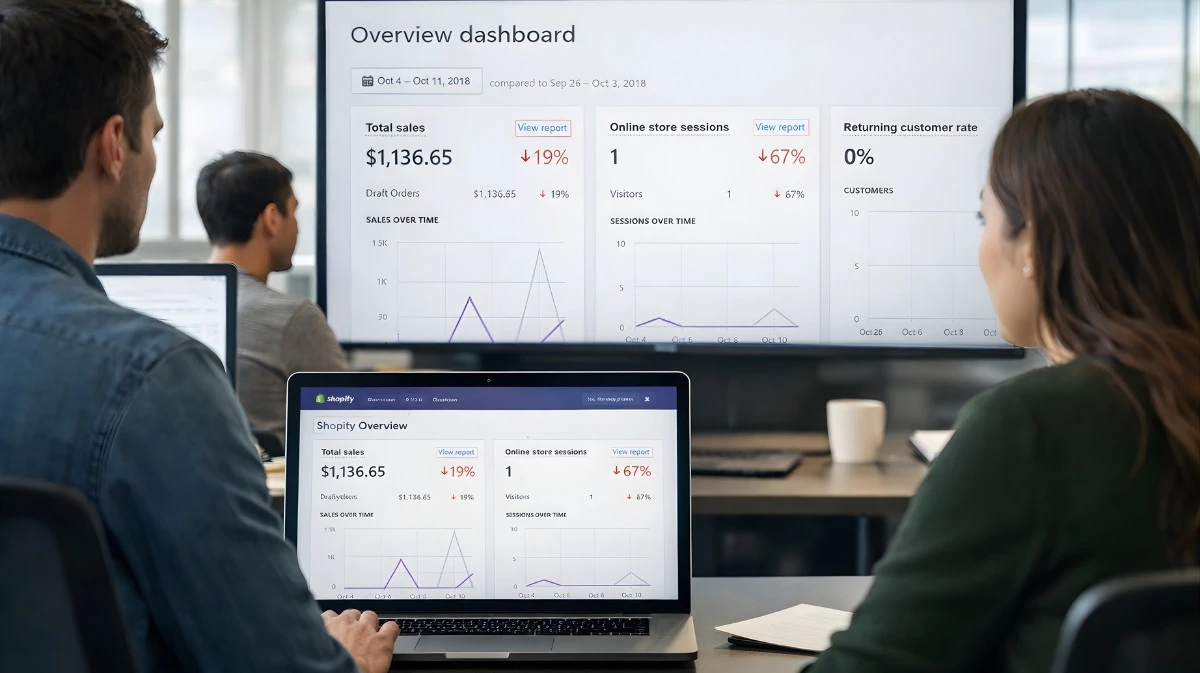
Your Shopify revenue doesn't match ad platform reports. If Meta says you made $10K but Shopify shows $18K, you're optimizing on 55% of your data. The gap will only grow as privacy restrictions tighten.
Scaling campaigns causes performance to collapse. When you increase budget but results don't scale proportionally — or get worse — incomplete data is often the cause. The algorithm can't learn what it can't see.
You don't trust your analytics anymore. If you've stopped believing your ROAS numbers or find yourself constantly second-guessing campaign decisions, that's a sign your data foundation is broken.
You're running Advantage+ or Performance Max. AI-driven campaigns are only as smart as the data they receive. Feeding them 60% of your conversions means they optimize for the wrong customers.
At this point, optimizing ads without fixing data is like tuning an engine with broken sensors.
Common Setup Mistakes
Running pixel-only tracking. Even with a perfectly configured pixel, you'll miss 40-60% of conversions due to privacy restrictions. Server-side tracking isn't optional in 2026.
Not enabling Maximum data sharing. Shopify's "Standard" and "Enhanced" settings don't activate Conversion API. You need "Maximum" for server-side events.
Forgetting deduplication. If both pixel and server send the same event, you'll double-count conversions. Ensure your setup includes proper event deduplication.
Ignoring Event Match Quality. Setting up server-side tracking is step one. Optimizing for high EMQ scores is what actually improves performance.
The Bottom Line
First-party tracking isn't a nice-to-have anymore. It's the foundation of effective advertising in 2026.
When browser-based pixels miss half your conversions, your ad platforms optimize on incomplete data. AI algorithms learn the wrong patterns. Your campaigns underperform.
First-party tracking captures every conversion directly from your Shopify backend, giving ad platforms the complete, accurate data they need to find your best customers.
The stores winning in 2026 aren't the ones with the biggest budgets. They're the ones with the best data. First-party tracking is how you get there.
Get Started
Start Tracking Every Sale Today
Join 10+ e-commerce stores. Set up in 5 minutes, see results in days.